Vanilla Block Models
beginner
Although custom blocks are unable to make use of vanilla block shapes, Mojang provides several minecraft namespaced models that replicate their look!
Applying Vanilla Models
Vanilla block models are applied in the same way as custom block models, using the geometry component, with textures defined in material instances:
json
"minecraft:geometry": "minecraft:geometry.full_block",
"minecraft:material_instances": {
    "*": {
        "texture": "cobblestone"
    }
}List of Vanilla Models
This documentation is up to date as of release 1.26.60.
Preview | Identifier | Additional Notes |
|---|---|---|
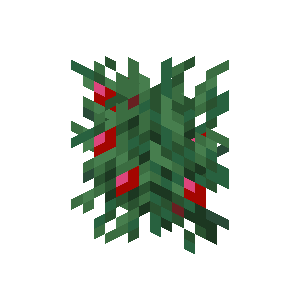 | minecraft:geometry.cross |
|
 | minecraft:geometry.full_block |
|
| minecraft:geometry.full_block_v1 |
|
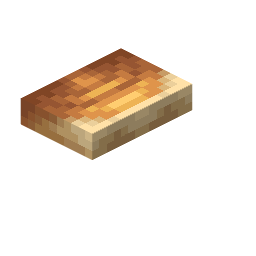 | minecraft:geometry.shelf_mushroom_large | |
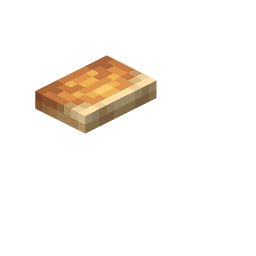 | minecraft:geometry.shelf_mushroom_small | |
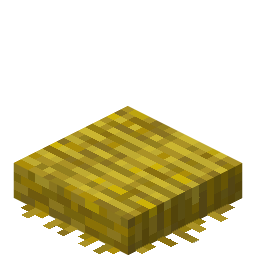 | minecraft:geometry.straw_bed_foot | This model should only be used in combination with render methods that apply backface culling ( "alpha_test_single_sided", "blend" and "opaque") to avoid texture flickering. |
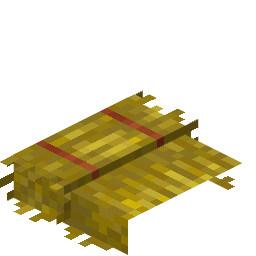 | minecraft:geometry.straw_bed_head | This model should only be used in combination with render methods that apply backface culling ( "alpha_test_single_sided", "blend" and "opaque") to avoid texture flickering. |
Contributors

Text and image content on this page is licensed under the Creative Commons Attribution 4.0 International License
Code samples on this page are licensed under the MIT License