Movement Detections
Introduction
Sourced by the Bedrock Commands Community (BCC) Discord
Image Credits: Minecraft Wiki - CC BY-NC-SA 3.0
These command-techniques allow you to detect certain player/entity 'states' and subsequently execute your desired commands.
Note: For a more performant and high-accuracy approach, it is advisable to use Animation Controllers
Sleep Detection
This technique allows you to detect when the player is/isn't sleeping.
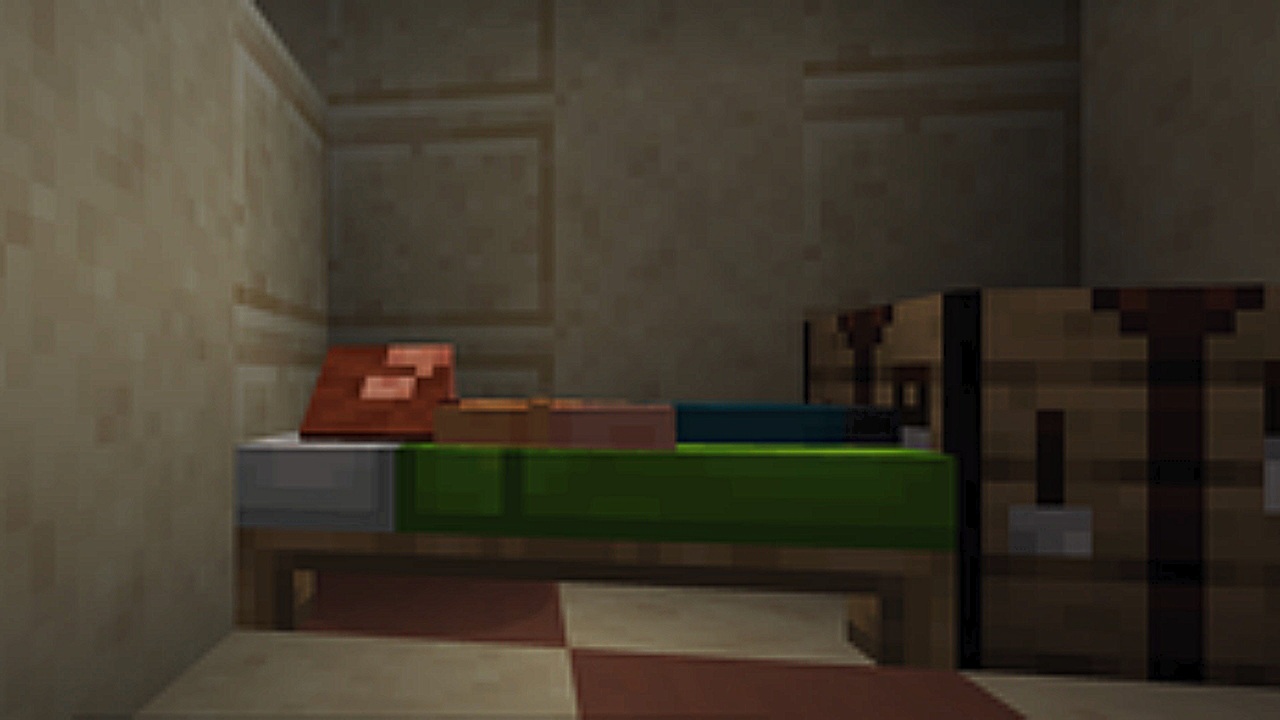
Note: When sleeping, the player's hitbox is reduced to 0.2 blocks.
Commands:
- Make sure you add the
wiki:q.is_sleepingscoreboard objective:/scoreboard objectives add wiki:wiki:q.is_sleeping dummy
## Sleep Detection
### Mark as not sleeping
execute as @a at @s if entity @s[y=~0.3, dy=0] run scoreboard players set @s wiki:q.is_sleeping 0
### Mark as sleeping
execute as @a at @s unless entity @s[y=~0.3, dy=0] run scoreboard players add @s wiki:q.is_sleeping 1

## Your Commands Here (Examples)
execute as @a[scores={wiki:q.is_sleeping=0}] run say I'm not sleeping
execute as @a[scores={wiki:q.is_sleeping=1}] run say I started sleeping
execute as @a[scores={wiki:q.is_sleeping=1..}] run say I'm still sleeping
It is a requirement to follow this same sequence and properly apply the scores selector argument as shown for your desired commands.
States:
wiki:q.is_sleeping=0player is not sleeping.wiki:q.is_sleeping=1player started sleeping. (used for 'trigger' actions)wiki:q.is_sleeping=1..player is still sleeping. (used for repeating actions)
Purpose of Each Command:
- Command 1: If the player's hitbox is higher than 0.2 blocks, we mark them as not sleeping (0)
- Command 2: If the player's hitbox is not higher than 0.2 blocks, we mark them as sleeping (1) by adding a score.
- The score will keep incrementing if they don't stop sleeping. Allowing us to use single-execution commands each time they start sleeping.
- Command 3, 4, 5: These are example commands (for each state) which can be modified / expanded.
Sneak Detection
This technique allows you to detect when the player is/isn't sneaking.
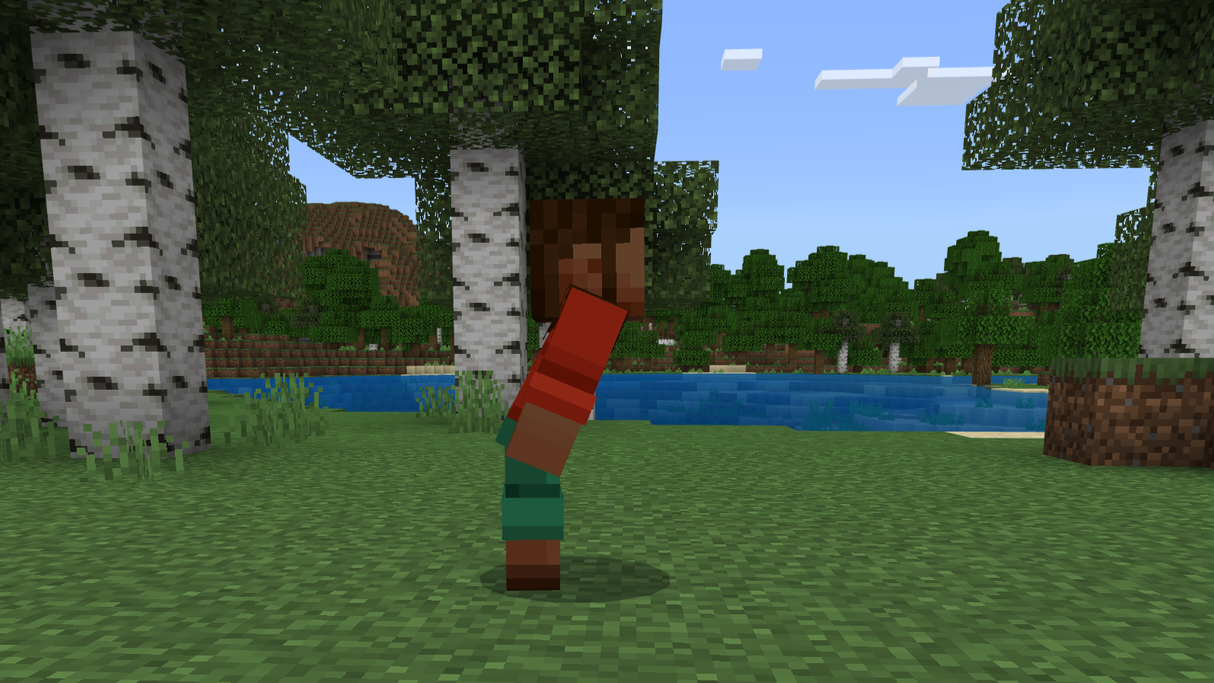
Thanks to the introduction of Short Sneaking parity in 1.20.10 which reduces the player hitbox to 1.5 blocks when sneaking, making a proper sneak-detection using just commands is now possible which previously required add-on assistance.
Commands:
- Make sure you add the
wiki:q.is_sneakingscoreboard objective:/scoreboard objectives add wiki:wiki:q.is_sneaking dummy
## Sneak Detection
### Mark as not sneaking
execute as @a at @s if entity @s[y=~1.5, dy=0] run scoreboard players set @s wiki:q.is_sneaking 0
### Mark as sneaking
execute as @a at @s unless entity @s[y=~1.5, dy=0] if entity @s[y=~0.7, dy=0] run scoreboard players add @s wiki:q.is_sneaking 1

## Your Commands Here (Examples)
execute as @a[scores={wiki:q.is_sneaking=0}] run say I'm not sneaking
execute as @a[scores={wiki:q.is_sneaking=1}] run say I started sneaking
execute as @a[scores={wiki:q.is_sneaking=1..}] run say I'm still sneaking
It is a requirement to follow this same sequence and properly apply the scores selector argument as shown for your desired commands.
States:
wiki:q.is_sneaking=0player is not sneaking.wiki:q.is_sneaking=1player started sneaking. (used for 'trigger' actions)wiki:q.is_sneaking=1..player is still sneaking. (used for repeating actions)
Purpose of Each Command:
- Command 1: If the player's hitbox is higher than 1.4 blocks, we mark them as not sneaking (0)
- Command 2: If the player's hitbox is not higher than 1.4 blocks, we mark them as sneaking (1) by adding a score.
- The score will keep incrementing if they don't stop sneaking. Allowing us to use single-execution commands each time they start sneaking.
- To prevent false-triggers when sleeping or crawling, we will also require their hitbox to be higher than 0.6 blocks.
- Command 3, 4, 5: These are example commands (for each state) which can be modified / expanded.
Crawl Detection
This technique allows you to detect when the player is/isn't crawling.
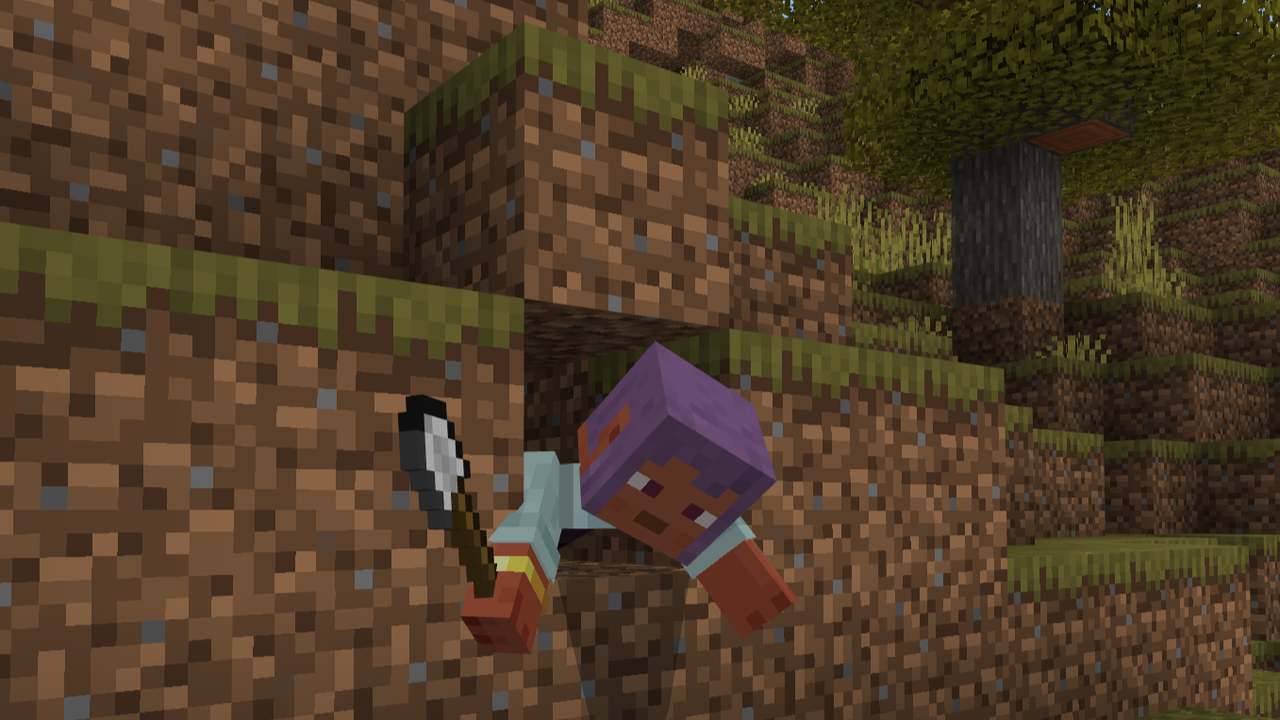
Note: When crawling, the player's hitbox is reduced to 0.6 blocks.
Known Issue:
Swimming in water or gliding with Elytra will be detected as crawling.
Commands:
- Make sure you add the
wiki:q.is_crawlingscoreboard objective:/scoreboard objectives add wiki:wiki:q.is_crawling dummy
## Crawl Detection
### Mark as not crawling
execute as @a at @s if entity @s[y=~0.7, dy=0] run scoreboard players set @s wiki:q.is_crawling 0
### Mark as crawling
execute as @a at @s unless entity @s[y=~0.7, dy=0] if entity @s[y=~0.3, dy=0] run scoreboard players add @s wiki:q.is_crawling 1

## Your Commands Here (Examples)
execute as @a[scores={wiki:q.is_crawling=0}] run say I'm not crawling
execute as @a[scores={wiki:q.is_crawling=1}] run say I started crawling
execute as @a[scores={wiki:q.is_crawling=1..}] run say I'm still crawling
It is a requirement to follow this same sequence and properly apply the scores selector argument as shown for your desired commands.
States:
wiki:q.is_crawling=0player is not crawling.wiki:q.is_crawling=1player started crawling. (used for 'trigger' actions)wiki:q.is_crawling=1..player is still crawling. (used for repeating actions)
Purpose of Each Command:
- Command 1: If the player's hitbox is higher than 0.6 blocks, we mark them as not crawling (0)
- Command 2: If the player's hitbox is not higher than 0.6 blocks, we mark them as crawling (1) by adding a score.
- The score will keep incrementing if they don't stop crawling. Allowing us to use single-execution commands each time they start crawling.
- To prevent false-triggers when sleeping, we will require their hitbox to be higher than 0.2 blocks.
- Command 3, 4, 5: These are example commands (for each state) which can be modified / expanded.
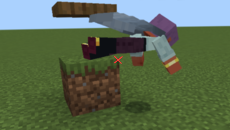
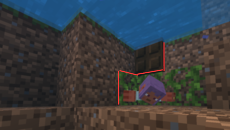
Differentiating Crawling, Gliding And Swimming
If you desperately need to detect all three states separately solely using commands, you may use this technique below.
Known Issues:
- Gliding while touching the ground/ceiling or crashing straight into a wall will be detected as crawling.
- Crawling from absolute corner of a block while wearing an Elytra, with no adjacent blocks above or below, will be detected as gliding.
- Swimming in a waterlogged block under another waterlogged block will be detected as crawling.
## Set Player States
### Not gliding
execute as @a at @s if entity @s[y=~0.7, dy=0] run scoreboard players set @s wiki:q.is_gliding 0
### Not crawling
execute as @a at @s if entity @s[y=~0.7, dy=0] run scoreboard players set @s wiki:q.is_crawling 0
### Not swimming
execute as @a at @s if entity @s[y=~0.7, dy=0] run scoreboard players set @s wiki:q.is_swimming 0

## Detect Player States
### Gliding
execute as @a[hasitem={item=elytra,location=slot.armor.chest}] at @s unless entity @s[y=~0.7,dy=0] if entity @s[y=~0.3,dy=0] if block ~~1.01~ air if block ~~-0.01~ air rotated ~ 0 if block ^^1.01^-1 air if block ^^-0.01^-1 air if block ^^1.01^1 air if block ^^-0.01^1 air run scoreboard players add @s wiki:q.is_gliding 1
### Crawling
execute as @a[scores={wiki:q.is_gliding=0}] at @s unless entity @s[y=~0.7,dy=0] if entity @s[y=~0.3,dy=0] unless block ~~~ water unless block ~~1.01~ water run scoreboard players add @s wiki:q.is_crawling 1
### Swimming
execute as @a[scores={wiki:q.is_gliding=0,wiki:q.is_crawling=0}] at @s unless entity @s[y=~0.7, dy=0] if entity @s[y=~0.3,dy=0] run scoreboard players add @s wiki:q.is_swimming 1

## Your Commands Here (Examples)
execute as @a[scores={wiki:q.is_swimming=0}] run say I'm not swimming
execute as @a[scores={wiki:q.is_crawling=1}] run say I started crawling
execute as @a[scores={wiki:q.is_gliding=1..}] run say I'm still gliding
Purpose of Each Command:
- Command 1, 2, 3: If the player's hitbox is higher than 0.6 blocks, we mark them as not gliding/crawling/swimming (0)
- Command 4: If the player's hitbox is not higher than 0.6 blocks, has equipped an elytra, and has no blocks above/below their head/chest/feet, we mark them as gliding (1) by adding a score.
- The score will keep incrementing if they don't stop gliding. Allowing us to use single-execution commands each time they start gliding. We will employ the same for crawling/gliding.
- To prevent false-triggers when sleeping, we will also require their hitbox to be higher than 0.2 blocks. We will employ the same for crawling/gliding.
- Command 5: If the player's hitbox is not higher than 0.6 blocks, is not gliding, and has no water above/below them, we mark them as crawling (1) by adding a score.
- Command 6: If the player's hitbox is not higher than 0.6 blocks, is not gliding or crawling, we mark them as swimming (1) by adding a score.
- Command 7, 8, 9: These are example commands (for each state) which can be modified / expanded.
Walk or Run Detection
REMOVED
The walk/run detection method has been deprecated. A recent game update changed leash knot behavior, causing them to despawn immediately if they are not tied to a fence post. This prevents them from being used as independent, static marker entities in command systems. We are currently exploring alternatives and will update this section if a viable workaround is discovered.
Folder Structure
If you are working with functions, your folder structure may look something like this:
- main.mcfunction
- is_sleeping.mcfunction
- is_crawling.mcfunction
- tick.json
- manifest.json
- pack_icon.png
In this setup, all functions inside the /detect/player/ folder is called by main.mcfunction, which is executed every tick via tick.json.
Contributors

