Block Co-Location
What Are Co-Located Blocks?
While each block location in the world is typically limited to only containing one block, there are some situations where a single location can contain two blocks instead. This includes waterlogging and snowlogging functionality which allows water or snow to occupy the same space as another block.
To support this, each block location in the world is stored as two separate "layers" of blocks:
- A primary block that represents the main block at the position.
- This is the block that can be interacted with and is the only block that can be accessed by most APIs.
- An optional secondary (or "extra") block that can be used to store a second block at the same position.
- This block is generally inaccessible using APIs, excluding the block placement filter which is able to detect it.
Waterlogging
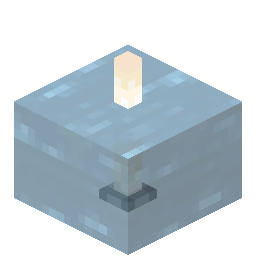
A block is waterlogged when it contains either a source or flowing block of water.
When a block is waterlogged:
- The primary block remains unchanged.
- Unless the block has its own interaction functionality, an empty bucket can be used to pick up the contained water source when the block is selected.
- The secondary block is water (either a source or flowing water).
- Items that are liquid clipped can be used to interact with liquids that are on the secondary block layer.
- This allows blocks that can only be placed on water (such as lily pads) to be placed on waterlogged blocks.
Creating Waterloggable Blocks
The liquid detection component can be used to allow a block to contain water. By default, water is not able to flow through waterloggable blocks and will instead flow around.
"minecraft:liquid_detection": {
    "detection_rules": [
        {
            "liquid_type": "water",
            "can_contain_liquid": true
        }
    ]
}Allowing Water Flow
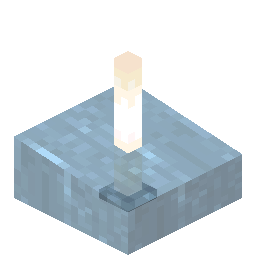
Some waterloggable blocks also allow water to flow into the block as if it were air. This can be seen in vanilla drip leaves, end rods, tripwires and tripwire hooks.
To apply this functionality to your own block, simply set the on_liquid_touches parameter to "no_reaction".
"minecraft:liquid_detection": {
    "detection_rules": [
        {
            "liquid_type": "water",
            "can_contain_liquid": true,
            "on_liquid_touches": "no_reaction" // Allows water to flow through the block
        }
    ]
}Snowlogging
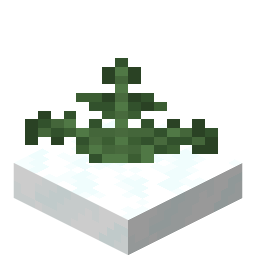
A block is snowlogged when it is submerged in snow.
When a block is snowlogged:
- The primary block becomes the placed snow layer.
- This prevents the block that has been snowlogged from being interacted with without first destroying the snow.
- Despite the selection visually being the shape of the snow layer, the actual selectable region also includes the shape of the submerged block.
- Unlike snow layers that do not contain a submerged block, this snow layer will have a
covered_bitstate oftrue.
- The secondary block is set to the previous primary block that was snowlogged.
Creating Snowloggable Blocks
The precipitation interactions component can be used to allow a block to be submerged in snow layers. Note that snowloggable blocks cannot have a collision box as the secondary block layer does not support collision.
"minecraft:collision_box": false,
"minecraft:precipitation_interactions": {
    "precipitation_behavior": "snowlogging"
}Contributors

Text and image content on this page is licensed under the Creative Commons Attribution 4.0 International License
Code samples on this page are licensed under the MIT License