N-Way Rotation
KNOWN ISSUE (MCPE-241952)
N-way rotation is only visible to the player hosting the world, not remote players joining. For servers, this means it is not visible to any players.
VISUAL ONLY
Unlike rotation from the transformation component, features such as collision box and selection box will not be affected by N-way rotation as this system only targets block geometry. This is because N-way rotation may not be axis-aligned which would cause issues for these components.
ROOT ONLY
N-way rotation can only be defined in the root components object of the block, so cannot be specified per permutation.
MULTI-BLOCKS
N-way rotation is not supported by multi-blocks and attempts to use it will cause the block JSON to be invalid.
How It Works
N-way rotation allows the geometry of a block to be rotated by linking a block state with each rotation axis. The game will then automatically associate an angle of rotation to each block state value, equally spacing rotations across the full 360°, starting from south.
Here, N refers to the number of discrete angles that the block can face on a given axis, determined by the number of valid values listed for the associated block state. For example, the state below has 3 valid values (0, 1 and 2), meaning it could be used to apply 3-way rotation to the block geometry.
Note: You will need to implement a way to set the value of any custom states you make, see the custom N-way rotation states section. Alternatively, there are vanilla states provided by block traits (such as minecraft:sixteen_way_rotation) which will have their values set automatically when the block is placed.
"description": {
    "identifier": "wiki:three_way_arrow",
    "menu_category": {
        "category": "construction"
    },
    "states": {
        "wiki:three_way_rotation": [0, 1, 2]
    }
}In the block's geometry component, we need to define the n_way_visual_rotation parameter. Here, the y axis has been set to the name of the block state it should rotate based on, as that is the axis that the rotation should affect. Other keys (x and z) can also be defined here if you would like those axes to have N-way rotation too.
"minecraft:geometry": {
    "identifier": "geometry.wiki_arrow",
    "n_way_visual_rotation": {
        "y": "wiki:three_way_rotation"
    }
}Now that we have N-way rotation set up, let's see how it looks in-game!
The first state value (0 in this case) will always be associated with a rotation of 0° from south. Assuming your block model faces north, the block will face south when placed with this state value and when displayed in the UI.
The angle of rotation increases by
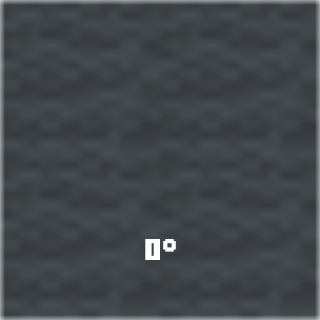
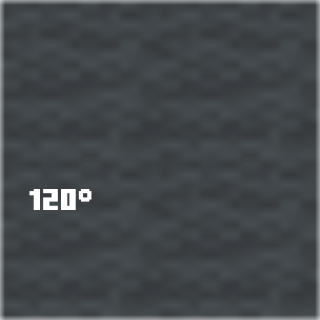
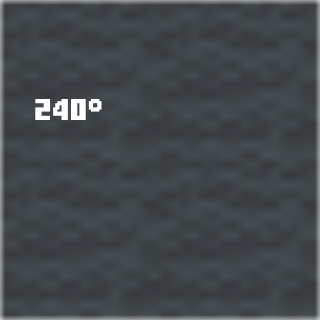
The different permutations of our arrow block with 3-way rotation have their associated angles annotated below. The following screenshots were taken from above while facing north.
Existing Applications
Cardinal Direction
Traditionally, blocks with cardinal orientation would have their rotation applied via the minecraft:transformation component, with each state value (e.g. "west") manually assigned a rotation angle using the permutations array.
However, for blocks where only the geometry needs to be rotated (such as carved pumpkins which have the same collision and selection boxes regardless of direction), N-way rotation provides a much easier interface for applying cardinal direction by automatically applying different angles of rotation based on the minecraft:cardinal_direction state.
Example block with cardinal direction applied via N-way rotation
{
    "format_version": "1.26.50",
    "minecraft:block": {
        "description": {
            "identifier": "wiki:cardinal_arrow",
            "menu_category": {
                "category": "construction"
            },
            "traits": {
                "minecraft:placement_direction": {
                    "enabled_states": ["minecraft:cardinal_direction"],
                    "y_rotation_offset": 180 // Face towards the player
                }
            }
        },
        "components": {
            // Visuals
            "minecraft:geometry": {
                "identifier": "geometry.wiki_arrow",
                "n_way_visual_rotation": {
                    "y": "minecraft:cardinal_direction"
                }
            },
            "minecraft:material_instances": {
                "*": {
                    "texture": "wiki:arrow",
                    "render_method": "alpha_test"
                }
            },
            "minecraft:sound": {
                "sound": "metal"
            },
            // Collision and selection boxes
            // Remember that these will not rotate with the geometry so it's best to keep them symmetrical
            "minecraft:collision_box": {
                "origin": [-7, 0, -7],
                "size": [14, 1, 14]
            },
            "minecraft:selection_box": {
                "origin": [-7, 0, -7],
                "size": [14, 1, 14]
            }
        }
    }
}Sixteen-Way Rotation
Some vanilla blocks including banners, mob heads and signs can be placed at 16 discrete rotations, allowing for more precise orientation.
The minecraft:placement_direction block trait provides a minecraft:sixteen_way_direction state that can be used to enable this type of orientation.
Example block with 16-way rotation
{
    "format_version": "1.26.50",
    "minecraft:block": {
        "description": {
            "identifier": "wiki:sixteen_way_arrow",
            "menu_category": {
                "category": "construction"
            },
            "traits": {
                "minecraft:placement_direction": {
                    "enabled_states": ["minecraft:sixteen_way_rotation"],
                    "y_rotation_offset": 180 // Face towards the player
                }
            }
        },
        "components": {
            // Visuals
            "minecraft:geometry": {
                "identifier": "geometry.wiki_arrow",
                "n_way_visual_rotation": {
                    "y": "minecraft:sixteen_way_rotation"
                }
            },
            "minecraft:material_instances": {
                "*": {
                    "texture": "wiki:arrow",
                    "render_method": "alpha_test"
                }
            },
            "minecraft:sound": {
                "sound": "metal"
            },
            // Collision and selection boxes
            // Remember that these will not rotate with the geometry so it's best to keep them symmetrical
            "minecraft:collision_box": {
                "origin": [-7, 0, -7],
                "size": [14, 1, 14]
            },
            "minecraft:selection_box": {
                "origin": [-7, 0, -7],
                "size": [14, 1, 14]
            }
        }
    }
}Custom N-Way Rotation States
While Minecraft provides a placement direction state for 4-way rotation via minecraft:cardinal_direction and 16-way rotation via minecraft:sixteen_way_rotation, if you'd like your block to have a different N, you'll have to implement your own logic for setting the custom rotation state when placed.
In this section, you will be provided with a custom component that will adapt to the number of values that your rotation state has. We will be modifying the example arrow block from the start of this page so that its wiki:three_way_rotation state is set upon being placed by the player.
Custom State
Rather than using a block trait to enable a built-in block state, you'll need to define your own state.
STATE VALUE LIMIT
Keep in mind that a single block state can have a maximum of 16 values, meaning 16-way rotation is as precise as your block can get by using this system!
"states": {
    "wiki:three_way_rotation": [0, 1, 2]
}INTEGER RANGE FORMAT
For larger value ranges, it's a good idea to use the integer range format when defining your custom state so that you don't have to manually list each value. Here's an example for 8-way rotation:
"states": {
    "wiki:eight_way_rotation": {
        "values": { "min": 0, "max": 7 }
    }
}Custom Component
Component JSON Format
This custom component is needed to set the value of the wiki:three_way_rotation state when the block is placed. We will do this using the beforeOnPlayerPlace() event hook.
First, let's outline the format of our custom component in the block JSON file. We're going to give it two parameters:
rotation_state— String- The name of the state that is being used for N-way rotation.
- This is needed for the script registering the custom component to know which state to set and how many values it has.
- For our example, this parameter will be set to
"wiki:three_way_rotation".
y_rotation_offset— Integer (optional)- An angle added to the player's Y rotation before calculating the value of the rotation state.
- This is equivalent to the same parameter found in the
minecraft:placement_directiontrait. - Since we want the block to face towards the player when placed (rather than in the same direction as the player), we will set it to
180degrees.
"wiki:n_way_rotation": {
    "rotation_state": "wiki:three_way_rotation",
    "y_rotation_offset": 180 // Face towards the player
}Component Script
Here is the function that we will use to convert the player's Y rotation into a value between 0 and n-1 (where n is the number of state values).
/**
 * @param {number} n
 * @param {number} rotation
 */
function getNWayRotation(n, rotation) {
    // Angle between different state values
    const rotationInterval = 360 / n;

    // Converts the rotation into a positive angle below 360
    rotation %= 360;
    if (rotation < 0) rotation += 360;

    // Returns the rotation as a value that is less than n
    return Math.round(rotation / rotationInterval) % n;
}Now let's create a custom component that uses the getNWayRotation() function to set the block to the correct rotation permutation.
import { BlockStates, system } from "@minecraft/server";

// Make sure you change "wiki" to your own namespace!
const componentName = "wiki:n_way_rotation";

/** @type {import("@minecraft/server").BlockCustomComponent} */
const BlockNWayRotationComponent = {
    beforeOnPlayerPlace(event, { params }) {
        const { player } = event;
        if (!player) return;

        // Get the number of rotation state values
        const rotationState = params.rotation_state;
        const n = BlockStates.get(rotationState).validValues.length;

        // Get the "y_rotation_offset" value defined in the block JSON (default to 0) and add it to the player's Y rotation
        const yRotationOffset = params.y_rotation_offset ?? 0;
        const yRotation = player.getRotation().y + yRotationOffset;

        // Get the rotation state value from the player's Y rotation
        const value = getNWayRotation(n, yRotation);

        // Update the block permutation being placed
        event.permutationToPlace = event.permutationToPlace.withState(rotationState, value);
    },
};

// Register the custom component with the name "wiki:n_way_rotation"
system.beforeEvents.startup.subscribe(({ blockComponentRegistry }) => {
    blockComponentRegistry.registerCustomComponent(componentName, BlockNWayRotationComponent);
});Remember to import the script into your entry file and set up scripts in BP/manifest.json if you haven't already!
import './nWayRotation.js';Final Block JSON & Script
Example Arrow Block JSON
{
    "format_version": "1.26.50",
    "minecraft:block": {
        "description": {
            "identifier": "wiki:three_way_arrow",
            "menu_category": {
                "category": "construction"
            },
            "states": {
                "wiki:three_way_rotation": [0, 1, 2]
            }
        },
        "components": {
            // Custom component used to set the rotation state
            "wiki:n_way_rotation": {
                "rotation_state": "wiki:three_way_rotation",
                "y_rotation_offset": 180 // Face towards the player
            },
            // Visuals
            "minecraft:geometry": {
                "identifier": "geometry.wiki_arrow",
                "n_way_visual_rotation": {
                    "y": "wiki:three_way_rotation"
                }
            },
            "minecraft:material_instances": {
                "*": {
                    "texture": "wiki:arrow",
                    "render_method": "alpha_test"
                }
            },
            "minecraft:sound": {
                "sound": "metal"
            },
            // Collision and selection boxes
            // Remember that these will not rotate with the geometry so it's best to keep them symmetrical
            "minecraft:collision_box": {
                "origin": [-7, 0, -7],
                "size": [14, 1, 14]
            },
            "minecraft:selection_box": {
                "origin": [-7, 0, -7],
                "size": [14, 1, 14]
            }
        }
    }
}N-Way Rotation Component Script
import { BlockStates, system } from "@minecraft/server";

// Make sure you change "wiki" to your own namespace!
const componentName = "wiki:n_way_rotation";

/** @type {import("@minecraft/server").BlockCustomComponent} */
const BlockNWayRotationComponent = {
    beforeOnPlayerPlace(event, { params }) {
        const { player } = event;
        if (!player) return;

        // Get the number of rotation state values
        const rotationState = params.rotation_state;
        const n = BlockStates.get(rotationState).validValues.length;

        // Get the "y_rotation_offset" value defined in the block JSON (default to 0) and add it to the player's Y rotation
        const yRotationOffset = params.y_rotation_offset ?? 0;
        const yRotation = player.getRotation().y + yRotationOffset;

        // Get the rotation state value from the player's Y rotation
        const value = getNWayRotation(n, yRotation);

        // Update the block permutation being placed
        event.permutationToPlace = event.permutationToPlace.withState(rotationState, value);
    },
};

// Register the custom component with the name "wiki:n_way_rotation"
system.beforeEvents.startup.subscribe(({ blockComponentRegistry }) => {
    blockComponentRegistry.registerCustomComponent(componentName, BlockNWayRotationComponent);
});

/**
 * @param {number} n
 * @param {number} rotation
 */
function getNWayRotation(n, rotation) {
    // Angle between different state values
    const rotationInterval = 360 / n;

    // Converts the rotation into a positive angle below 360
    rotation %= 360;
    if (rotation < 0) rotation += 360;

    // Returns the rotation as a value that is less than n
    return Math.round(rotation / rotationInterval) % n;
}Contributors

Text and image content on this page is licensed under the Creative Commons Attribution 4.0 International License
Code samples on this page are licensed under the MIT License