Holding Items
TIP
This tutorial assumes you have a basic understanding of entities, loot tables, and Blockbench.
In this tutorial, you will learn to have an entity spawn with an item in its hand. We'll be using a custom mandalorian_armorer entity and a custom hammer item for the examples.
Model
First of all, you'll need to have a model in Blockbench that has a bone called rightItem. Now set the position of the pivot point of this bone, so it sits in the place you want the entity to hold the item at.
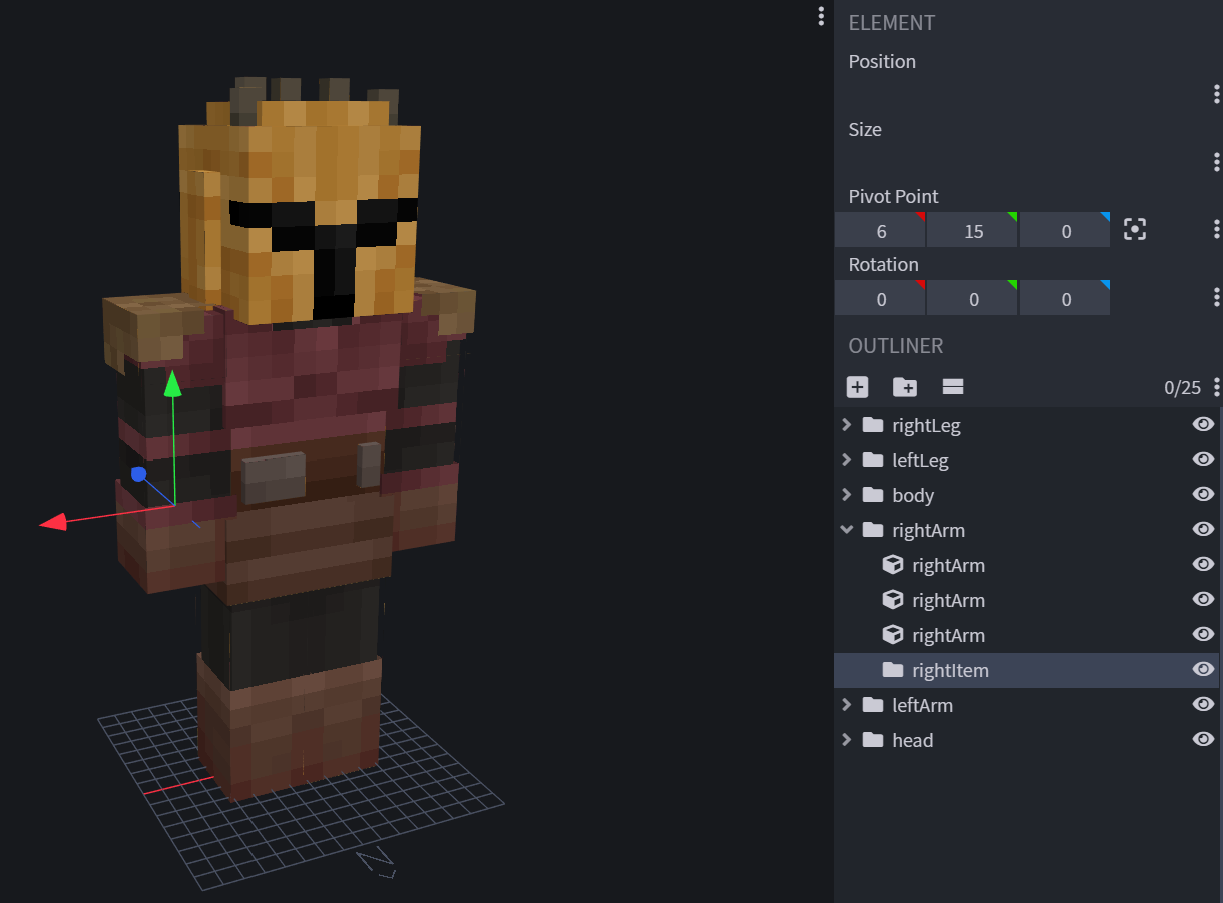
Equipment Component
Now you'll need to add a minecraft:equipment component in the component list for your entity and add a loot table with the desired item.
In our example it will look like this:
"minecraft:equipment": {
    "table": "loot_tables/wiki/entities/gear/mandalorian.json"
}Loot Table
Finally, add the loot table for your entity. It needs to be in loot_tables/<your_namespace_here>/entities/<your_loot_table_name>.json in the behavior pack. In our case, it's called mandalorian.json.
WARNING
This isn't the same loot table as what it drops on death. So make sure it has a different name.
To have the entity always spawn with the same item, add the following loot table:
{
    "pools": [
        {
            "rolls": 1,
            "entries": [
                {
                    "type": "item",
                    "name": "wiki:hammer"
                }
            ]
        }
    ]
}If everything went well, you'd have something looking like this:
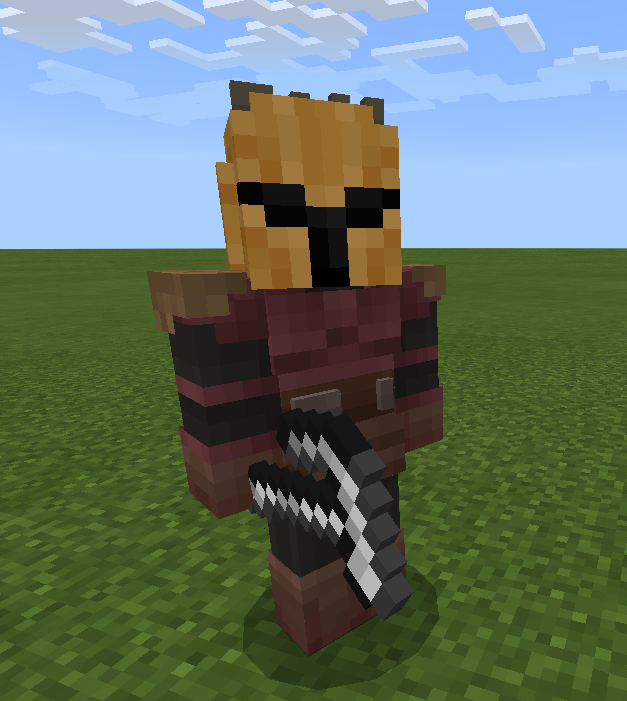
Common Problems
Issue: Held item not displaying
Cause: Your entity contains multiple geometry variants.
Contributors


