Sphere Command
Introduction
Sourced by the Bedrock Commands Community (BCC) Discord
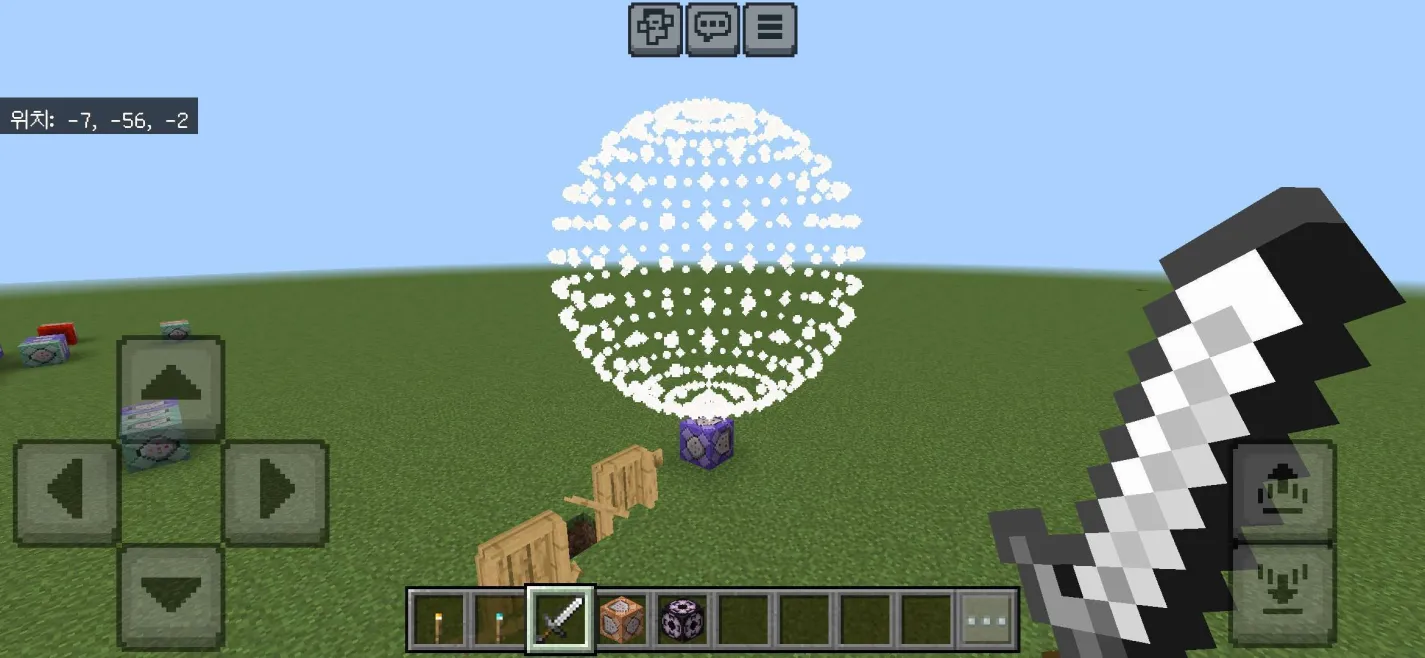
Creating a sphere traditionally requires multiple command blocks or complex functions. This method uses a single execute chain that forks the execution context based on the rotations of two helper entities (Boats).
NOTE:
This guide requires a baseline understanding of Execution Forking.
Credits: @1309boy
Setup
To provide the necessary rotation vectors, you must summon two helper boats. These boats act as "anchors" for the execution fork.
Run the following commands in chat:
# Summon helper boats with specific vertical rotations
/summon boat ~~1~ 0 -90
/summon boat ~~1~ 180 90 none

# Apply a tag for targeting
/tag @e[type=boat,c=2] add wiki:rBest Practices
- Keep Loaded: Ensure these boats are in a ticking area or a chunk that remains loaded at all times so the command works globally.
- Safety: Place the boats in a secure location where players or explosions cannot move or destroy them.
Command
execute positioned 0 0 0 rotated as @e[tag=wiki:r] positioned ^1^^ rotated as @e[tag=wiki:r] rotated ~ 0 positioned ^^^1 rotated as @e[tag=wiki:r] positioned ^1.414^^ facing 0 0 0 positioned 0 0 0 positioned ^^^1 rotated as @e[tag=wiki:r] positioned ^1^^ facing 0 0 0 positioned 0 0 0 positioned ^^^1 rotated as @e[tag=wiki:r] positioned ^1^^ facing 0 0 0 positioned 0 0 0 positioned ^^^1 rotated as @e[tag=wiki:r] positioned ^^^1 rotated as @e[tag=wiki:r] positioned ^^^1.414 facing 0 0 0 positioned 0 0 0 positioned ^^^1 rotated as @e[tag=wiki:r] positioned ^^^1 facing 0 0 0 positioned 0 0 0 positioned ^^^1 rotated as @e[tag=wiki:r] positioned ^^^1 facing 0 0 0 positioned as @p run particle minecraft:balloon_gas_particle ^^^3
Technical Breakdown
The complexity of this command comes from how it "forks" the execution path. Each time rotated as @e[tag=wiki:r] is called, the command splits into two paths (one for each boat).
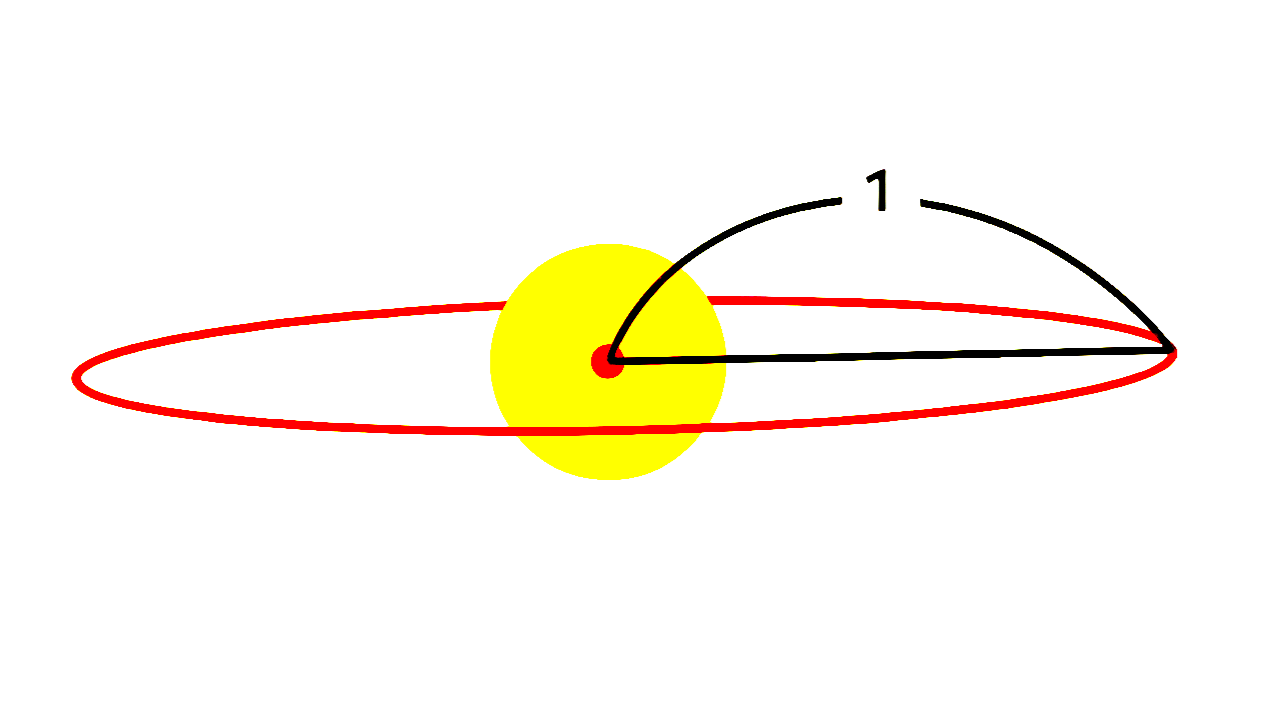
1. Creating the Horizontal Plane
positioned 0 0 0 rotated as @e[tag=wiki:r] positioned ^1^^ rotated as @e[tag=wiki:r] rotated ~ 0 positioned ^^^1 rotated as @e[tag=wiki:r] positioned ^1.414^^ facing 0 0 0 positioned 0 0 0 positioned ^^^1 rotated as @e[tag=wiki:r] positioned ^1^^ facing 0 0 0 positioned 0 0 0 positioned ^^^1 rotated as @e[tag=wiki:r] positioned ^1^^ facing 0 0 0 positioned 0 0 0 positioned ^^^1
This first segment of the command focuses on horizontal distribution.
positioned ^1^^androtated ~ 0are used to calculate offsets.- With execution forking, the command calculates coordinates for a 32-sided polygon in a 2D plane.
- Boats vs. Armor Stands: Boats are used here because their vertical rotation (
rx) allows vertical vector copying compared to armor stands.
2. Vertical Expansion
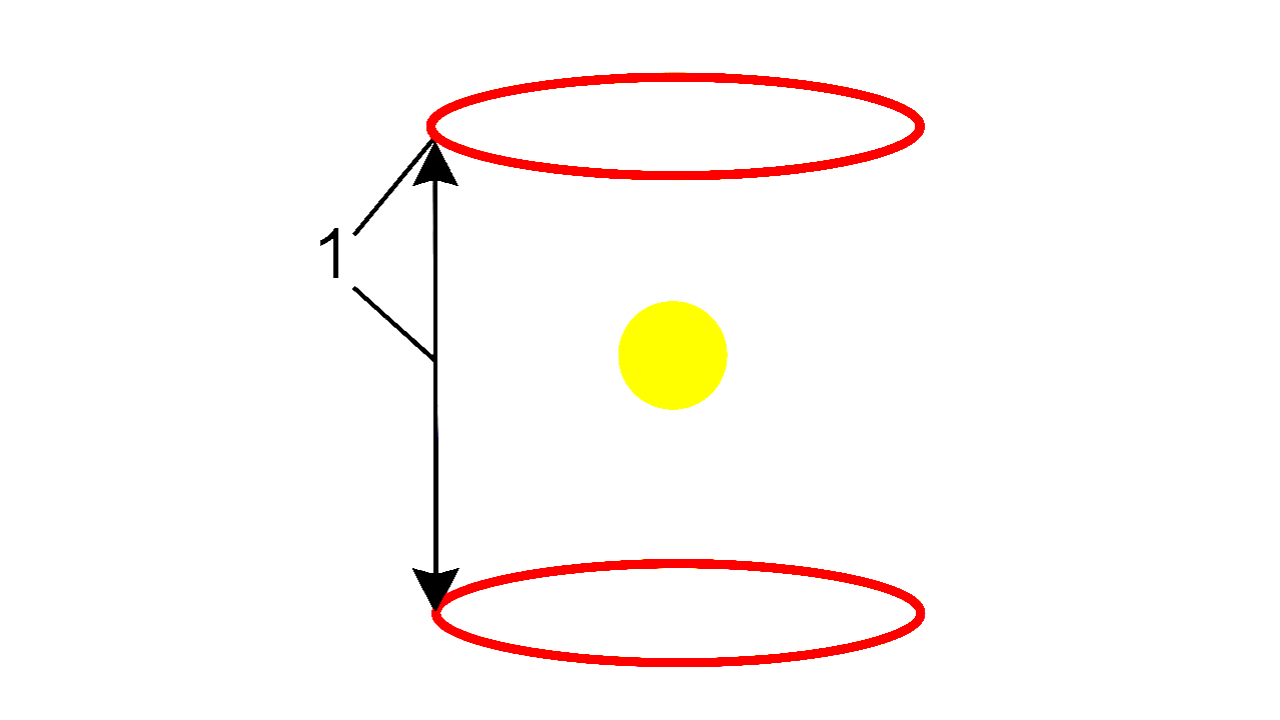
To turn a circle into a sphere, the command forks the vertical vectors.
- Segment 2 & 3: Use
positioned ^^^1andpositioned ^^^1.414(the value of) to move the execution context up and down.
rotated as @e[tag=wiki:r] positioned ^^^1
rotated as @e[tag=wiki:r] positioned ^^^1.414
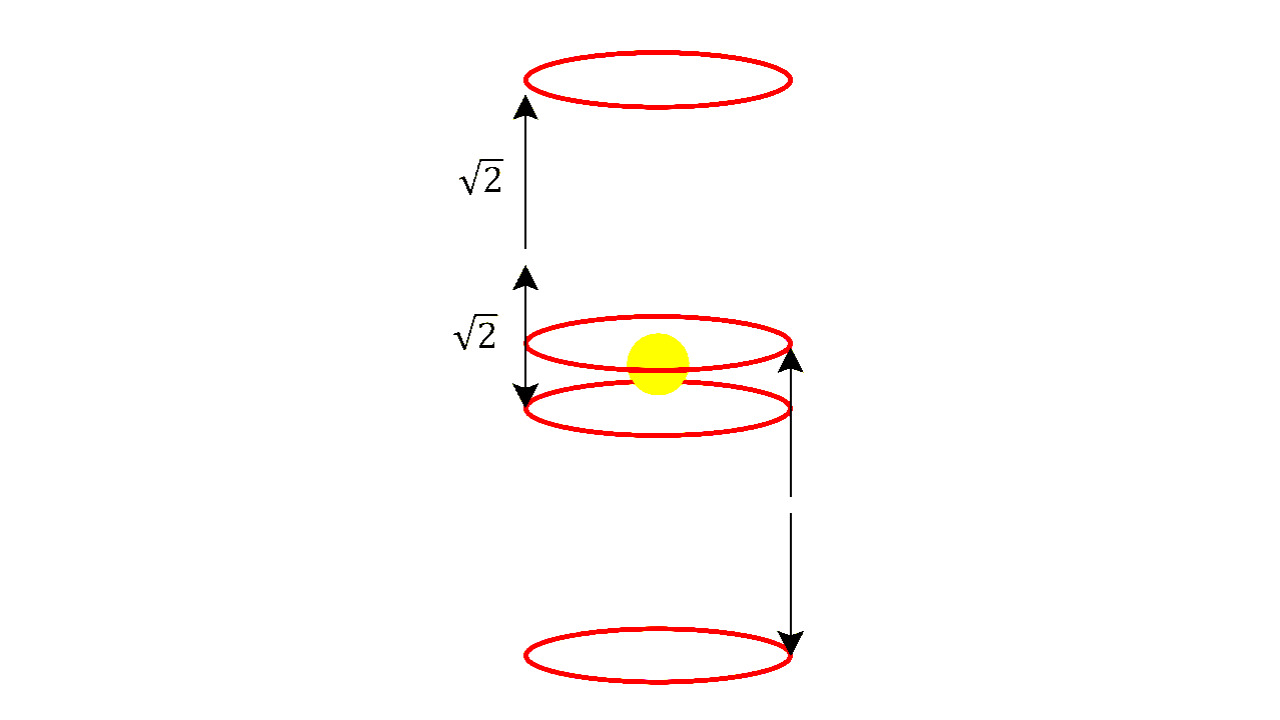
This creates 8 vertical vectors with equal central angles, which form the "ribs" or rings of the sphere.
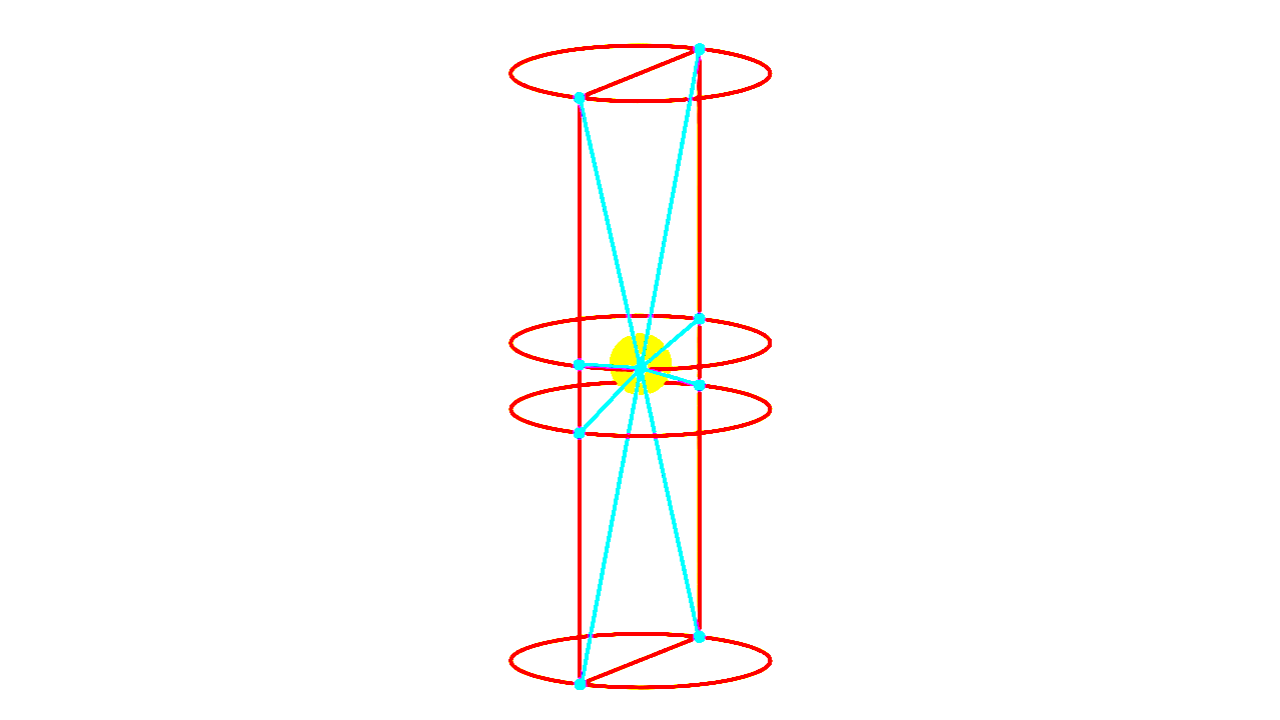
3. Facing Logic
The facing 0 0 0 and positioned 0 0 0 segments reset the orientation toward the center of the sphere. This ensures that the final run command is always relative to the intended radius (
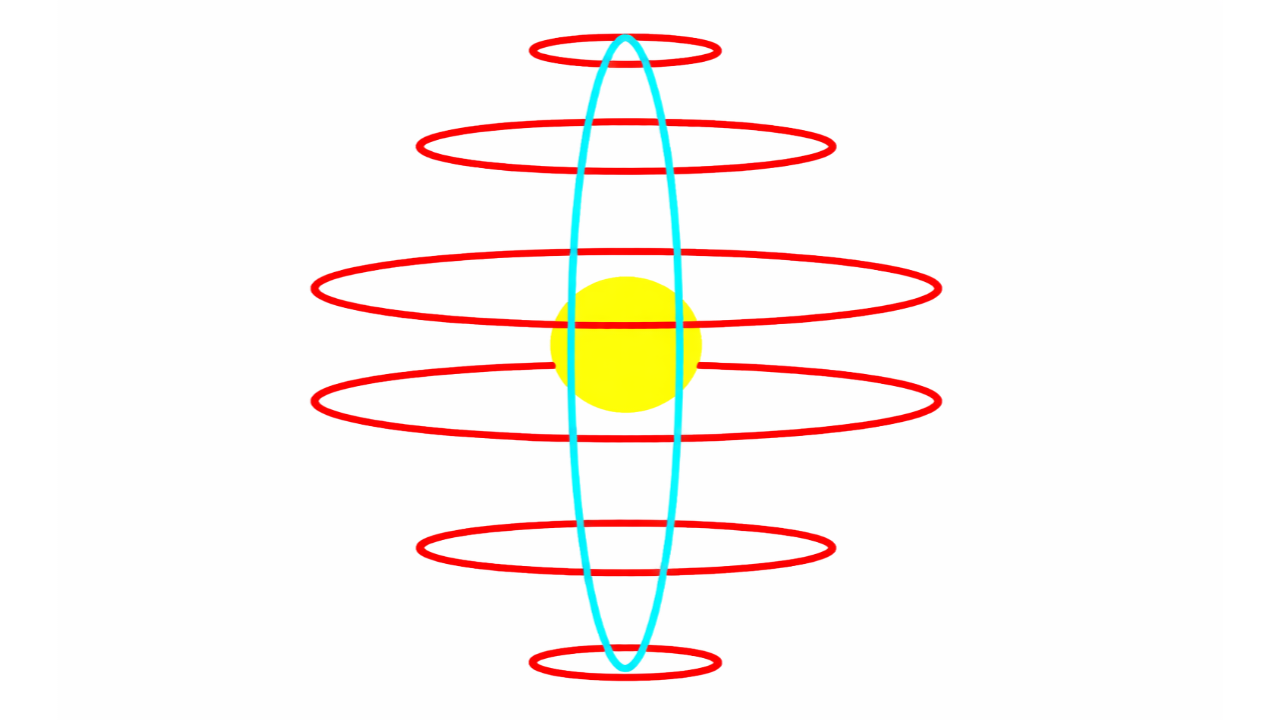
Customization
You can manipulate the shape and size by altering the final segments:
- Radius: Change the final coordinate in the
runcommand (e.g.,^^^5for a radius of 5). - Density: Adding more forks will increase the number of points in the sphere, but be cautious of performance impacts.
- For vertical density, repeat:
rotated as @e[tag=wiki:r] positioned ^^^1
- For horizontal density, repeat:
rotated as @e[tag=wiki:r] positioned ^1^^
- Important: Whether vertical or horizontal, make sure each repetition starts with:
facing 0 0 0 positioned 0 0 0 positioned ^^^1
- For vertical density, repeat:
Contributors


